ICT Practical Examination
Good Luck!
Friday, 6 March 2026
INSTRUCTIONS
- Create a static website based on a given case study.
- The website must be built using HTML for structure and Tailwind CSS for styling.
- Your final output should be a single HTML file containing all the necessary code, including the link to the Tailwind CSS CDN.
- The CDN can be accessed on the Tailwind CSS website. Link: Tailwind CDN
- Ensure your website is responsive and user-friendly.
Time Allotment
120 Minutes
Case Study: Class Cash Management System
Context
You are the class treasurer. Currently, all cash records are written in a paper notebook that is easily lost or damaged. You want to build a simple web application to manage the class treasury funds. The system you build must be able to:
- save every income or expense entry into the database.
- display a list of all entered transactions in an organized table.
- modify or update an existing transaction if there was a mistake in the description or amount.
- delete a record if it is no longer needed.
- automatically calculate the total remaining balance.
Task
Complete the following features below:
-
Set up the database based on the table below in XAMPP.
Database Name: db_cash_yourname Table Name: class_cash Attribute Name Data type Notes id int PRIMARY KEY, AUTO_INCREMENT description VARCHAR(100) NOT NULL type VARCHAR(15) NOT NULL amount INT NOT NULL date DATE NOT NULL - Establish a connection in your connection.php file.
- Analyze the structure of the index.php file to identify the form and table that will be modified in the task.
- Using the provided form input, use the INSERT INTO query to save data to your database.
- Display the transaction records from the database into an HTML table using a while loop.
- Determine the "type" styling in the HTML table using an if...else structure based on the following criteria.
Criteria Styling Class Income bg-green-600 text-white Expense bg-red-600 text-white - Update the data to modify existing transaction data (Update the amount or description).
- Add an "Edit" button for each row.
- When clicked, it should open a page with a form containing the existing data
- Use the UPDATE query to save the changes back to the database.
- Add a delete button for each record to delete the existing record based on its id. Use DELETE FROM query to delete data.
Challenge Plus Point
Calculate and display the Final Balance below the table.
- Use the SUM() function in SQL Aggregate to calculate total income and expenses.
- Calculate and display the final balance based on the formula below.
- Use PHP number_format() (example: Rp 50.000)
SELECT SUM(column_name) AS alias_name FROM table_name WHERE condition;
final_balance = total_income - total_expense
Output References
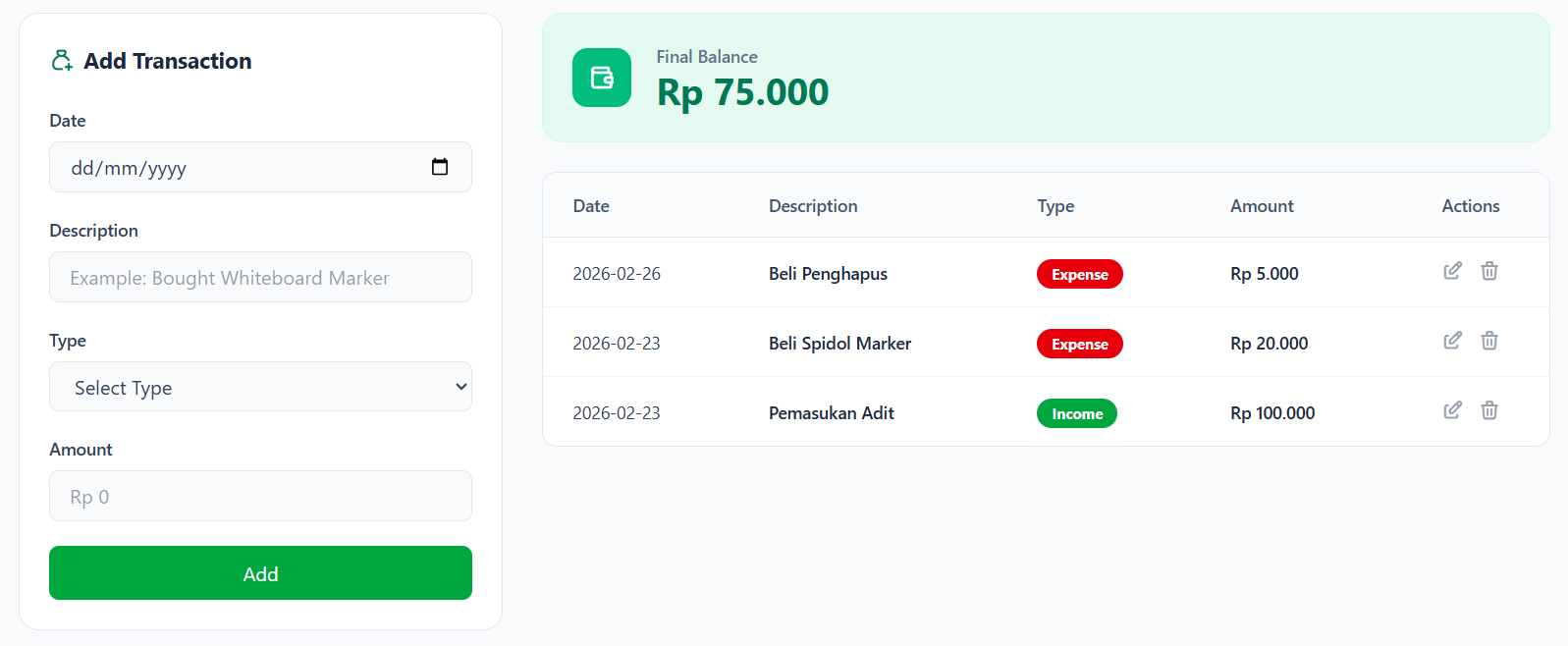
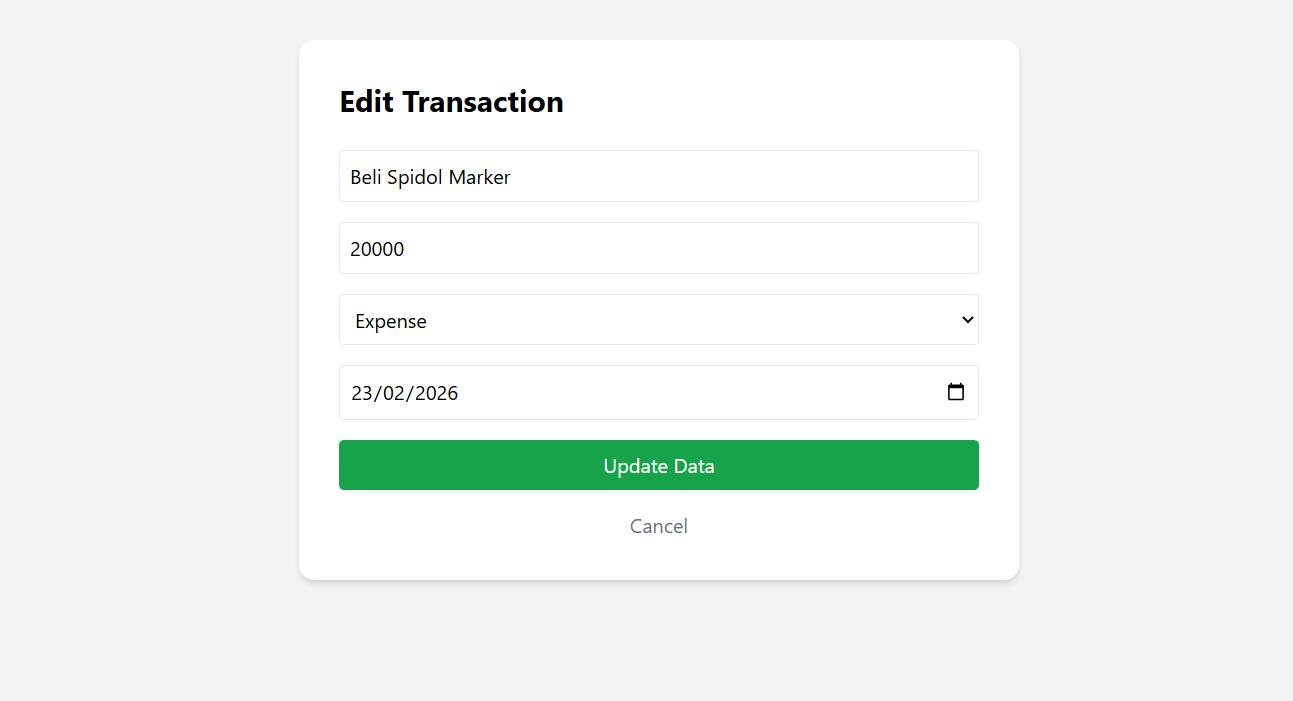
×
![]()